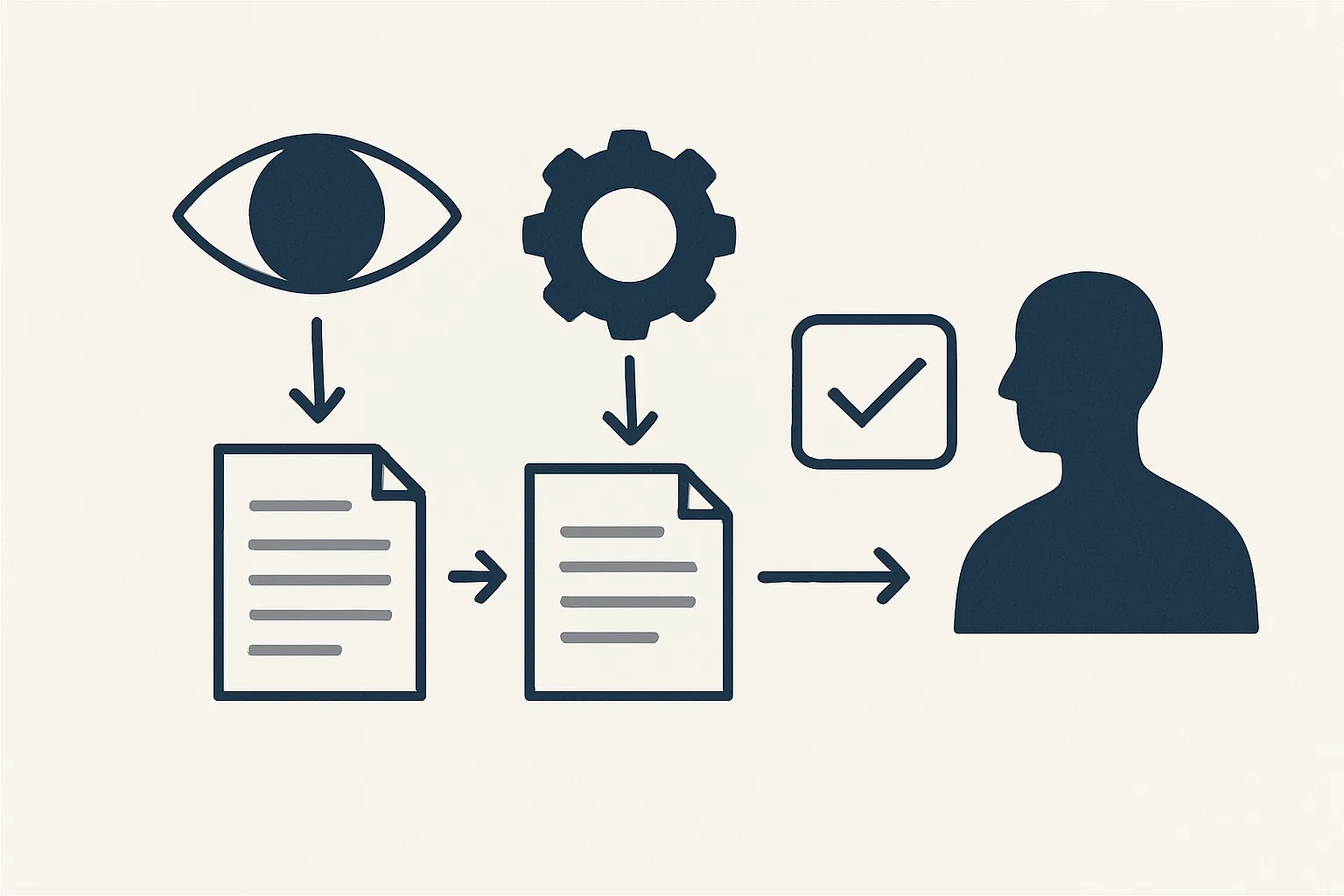
To set up AI workflow automation safely, map the steps as they happen today, let AI do the reading and writing, keep fixed rules for the checks, and start every step with your approval. Move it to automatic as it proves itself. Record every action and keep a way to stop it at once.
How do you map the workflow as it is?
Start AI workflow automation by writing down what happens today, step by step, including who does each step. Don't fix anything yet. Just describe it.
Say a small furniture shop handles supplier invoices. Today: an invoice arrives by email, Sam opens it, types it into the accounts, saves the PDF in a folder, and tells the owner if something looks odd. That's four steps and one person.
Writing it down feels dull. But it's where most mistakes get caught. You'll often find a step nobody mentioned, like 'Sam checks the price against the last order'.
Do this with the people who actually do the work. They know the odd cases that never get written anywhere.
Use plain words, one line per step. If a step takes a paragraph, it's probably two steps.
Where should AI read and draft?
Label each step as reading, checking or approving. AI is best at reading and drafting. It should not decide.
In the furniture shop, reading the invoice and filling in the accounts entry is a job for AI. Checking the price against the last order is a rule. Approving the payment is a person.
This is the heart of intelligent workflow automation: AI reads messy things, like PDFs, photos and emails, and turns them into tidy drafts. It doesn't make the call.
Think of it like a sorting table. AI reads the pile and makes neat stacks. A person still decides what to do with each stack.
A simple split to start with:
- Reading: open the email, read the invoice, pick out the figures.
- Drafting: prepare the entry, the PDF name, the folder.
- Checking: compare with fixed rules.
- Approving: a person says yes.
Why keep rules for the checks?
Anything that can be a rule should be a rule. Rules do the same thing every time, and you can read them.
Think of a plumber's wholesaler. 'If the total is more than the order, flag it.' 'If the supplier is new, send it to the owner.' 'If it's a refund, don't enter it.' Three rules, written in plain words, and the robot follows them exactly.
Every exception you know about gets a rule too, and the usual rule is simply 'pass it to a person'. An AI that guesses is a worry. An AI that stops and asks is a help.
Rules are also easy to change. If the owner wants a lower limit, someone edits one line, and the next run follows it.
This is where AI powered workflow automation stays safe. AI handles the messy reading, and rules handle the judging.
How do you place your approval, then earn automation?
Every step starts with your approval. Then, as a step runs cleanly, you choose when it goes automatic. You can always move it back.
Say the furniture shop's bill entries are right twelve times in a row. The owner moves that one step to automatic and keeps approval on anything new. The next step, like paying, stays with a person.
That's how a step earns its automation, rather than being handed it on day one.
Don't rush this part. A step that stays on approval for a year is not a failure. It's a step that still needs your eyes.
AI agents workflow automation works best this way. Each agent does one job, and you decide how much freedom it gets.
Is your workflow ready to automate safely?
Pick one workflow you want to automate. Tick each statement that is true of your plan for it.
Why record every action and keep a stop switch?
Every action should be written to a log, and a named person should be able to stop the workflow in one command.
If an entry looks wrong a month later, the log shows what the robot did, to which file and when. You're not guessing.
The stop command matters on a bad day. Say the robot starts filing bills under the wrong supplier. One command, and it stops. Then you look at what happened.
Test both early. Ask for a line from the log, and try the stop command once.
Why run it alongside the old way first?
For a short while, let the automated route and the manual one run side by side. Compare the results before anyone relies on the new one.
In the furniture shop, Sam keeps typing invoices for a couple of weeks while the robot prepares drafts for the same invoices. Every day, the owner compares the two. Differences get fixed, either in the rules or in the draft.
Only when the two agree, over and over, does the old route fade out. Nobody has to trust it blindly.
Keep a note of each difference and why it happened. That list becomes your best set of rules.
This feels slower, and it is, for a few weeks. After that it saves months of worry.
How do you choose AI workflow automation tools?
Choose AI workflow automation tools by a few plain questions, not by a list of features.
Does it work inside the software you already use, such as your mailbox, Drive, Sheets and accounting system? Does it keep a log of every action? Can you stop it in one command? Can you set where it asks for your approval?
Be wary of tools that promise to do everything. The safe ones do one job at a time and say clearly what they won't do.
A tool that fails any of these will cost you later. A good one is boring, written down and checked.
Our AI employees are rented by the month and built around your workflow. They work with your own accounts, and the records stay yours. If you stop, the workflow stops, and every document stays where it was filed.
Tick the list below with one workflow in mind.
Questions
What is AI workflow automation?
It's using AI to read and draft the steps of a routine job, with fixed rules for checks and a person for approvals.
Is it safe to let AI run a workflow?
It is, if you keep rules for the checks, a person for approvals, a log of every action and a way to stop it.
What should I automate first?
A routine job with a clear start, fixed steps and a result you can check, like supplier bills or sales invoices.
Do I need new software?
No. The workflow works inside your mailbox, Drive, Sheets and accounting system.
Can you build it for us?
Yes. Tell us the workflow and how often it runs, and we'll show you how it would work.
Tell us your workflow. We will build it around you.
Tell us which workflow you'd like to automate and how many hours it takes each month. Write to [email protected] and we'll tell you plainly how to do it safely.
Talk to us Related service: Services

