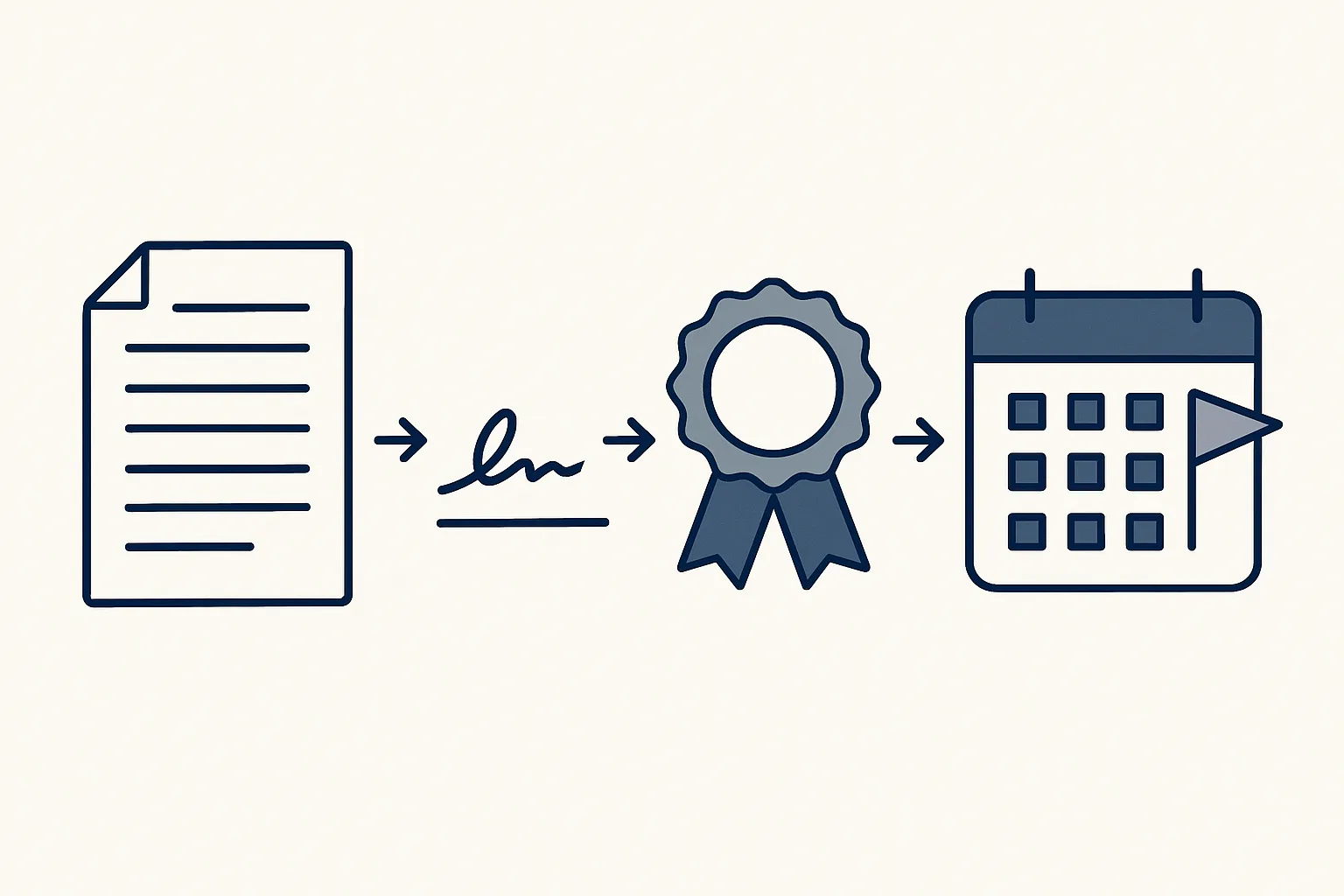
Contract management automation keeps every contract in one place: the draft, the signature, the signed copy and the dates that matter. You send a private signing page, everyone signs, the copy is filed, and you get a heads-up before a renewal date arrives.
Where do contracts go missing?
Contract management automation helps because small teams rarely lose the contract itself. They lose track of where the signed copy is, which version was signed and when it ends.
Picture a bakery that rents its shop. The lease is a scan on someone's phone. The supplier terms are an email from two years ago. Nobody knows the date by which the owner must give notice. Then the lease rolls over for another term, and that's that.
This isn't carelessness. Contracts are a side job for people who are busy selling, buying and running the day. You don't need a legal department. You need someone, or something, to do the filing and the date-keeping.
Here's what the gaps usually look like:
- Three versions of one contract, and no record of which one was signed.
- Signed copies scattered over mailboxes, phones and shared folders.
- Notice periods that live in one person's memory.
- No record of who signed, or when.
- Supplier and landlord contracts nobody ever sent for signature.
How does a contract get from proposal to signature?
The simplest way is a private web page for each document, which each person signs in turn. At the end you get a certificate that shows exactly what was signed.
This part is running today. Say a plumber sends a service agreement to a housing company. The agreement becomes a private page with its own link. The housing company's director opens it, reads it, draws a signature, types a name and ticks a consent line. When everyone has signed, a certificate PDF is made. It shows who signed, when, and a fingerprint of the exact document. Change one word later and the fingerprint no longer matches.
We built this ourselves. So there's no outside signing service in the middle and no extra subscription. Online contract signing like this suits proposals, service agreements and supplier terms. For things with special rules, such as a property deed, ask your adviser whether an electronic signature is enough.
If you're comparing contract signing software, ask three simple questions. Does it record who signed and when? Does it prove the text wasn't changed afterwards? Does the signed copy end up in your own folders?
- Draft the contract from your own template.
- Publish it as a private signing page.
- Send the link in an email.
- Each person opens the page, reads, and signs.
- The certificate is made once everyone has signed.
- The signed copy and the certificate are filed together, and the step is logged.
Where do the signed copies go?
Each signed contract goes into the folder of the customer or supplier it belongs to, together with its certificate.
Signing tools solve the signing. They don't always solve the filing. A signed copy stuck in someone's inbox is almost as hard to find as a paper one.
The habit is simple: one folder per customer or supplier, one row per contract, and the signed copy next to its certificate. Say a small factory has a supplier who disputes a price. With this habit, someone opens one folder and has the proof in a minute.
The register is just a table in a sheet you already use. Keeping it up to date for you is built to order. The columns that matter most are below.
| Column | What goes in it | Why you want it |
|---|---|---|
| Customer or supplier | Who the contract is with | Find every contract with one party |
| Type | Service agreement, lease, supplier terms | Group and review them |
| Signed on | The day the last person signed | Know which terms apply from when |
| End date | When it runs out | Plan the renewal |
| Notice period | How early you must speak up | Avoid rolling over by accident |
| Owner | Who looks after it in your team | Someone acts when a date comes |
| Links | Signed copy and certificate | Proof in one click |
How well are your contracts kept today?
Tick each statement that is true for your business today. The result shows where contract management automation would help first.
How do you keep track of renewal dates?
A robot reads each signed contract, picks out the key dates and reminds the owner before they arrive. A renewal flagged early is a decision. One missed is a surprise.
Think of a restaurant with a yearly deal on its coffee machine. The deal renews unless you cancel a month ahead. Nobody remembers. With a flag three weeks earlier, the owner can compare other offers or just say yes on purpose.
The robot only reminds. It doesn't renew, cancel or negotiate. It tells the owner a date is coming, with a link to the signed copy. The choice stays with them.
Reading dates out of contracts and flagging them is built to order. It isn't running for a client yet.
Who is allowed to do what?
Be clear about who may draft, who may sign, who may change the register and what the robot must never do. Write it down once.
In a small team, the same person often drafts and signs. That's fine, as long as it's written down. The certificate covers the signing. The log covers everything around it, from publishing the page to filing the copy.
Our rule is simple: every step starts with your approval, then you choose when it goes automatic. One command stops any robot.
There are three limits. The robot doesn't write legal terms. Your templates come from you and your adviser. It doesn't decide whether to renew or cancel. And it never signs for anyone.
What's the easiest way to start?
Start with the contracts you send most, usually proposals or service agreements. Add the register and the renewal flags once signing feels routine.
You don't need to dig out every old contract first. New contracts go through the signing page from today. Older ones can join the register as they come up for renewal.
A good first month: pick one template. Send every new contract of that type through the signing page. Check that the copies land in the right folders. Then add the register.
Our AI employees are rented monthly and work with your own mailbox, folders and sheets. Your signed copies stay in your accounts. If you stop, the workflow stops, and every document stays where it was filed.
Questions
What is contract management automation?
It handles the routine around contracts: drafts from your templates, online signing, filing signed copies, and reminders for key dates.
Is an electronic signature legally binding?
Often, yes, for many business documents. But rules differ by country and by document, so check with your adviser.
Do we need separate contract signing software?
Not with us. Our signing page is our own: a drawn signature, a typed name, a consent line and a certificate.
Can the robot renew or cancel a contract?
No. It reminds you of the date and can prepare a letter. You decide and you send.
What happens to our contracts if we stop?
They stay in your own folders with their certificates. Only the workflow stops, not your access to your documents.
Tell us your workflow. We will build it around you.
Tell us which contracts you send each month and how long they take to sign and file. Write to [email protected] and we'll tell you plainly what fits.
Talk to us Related service: Contracts and signing

