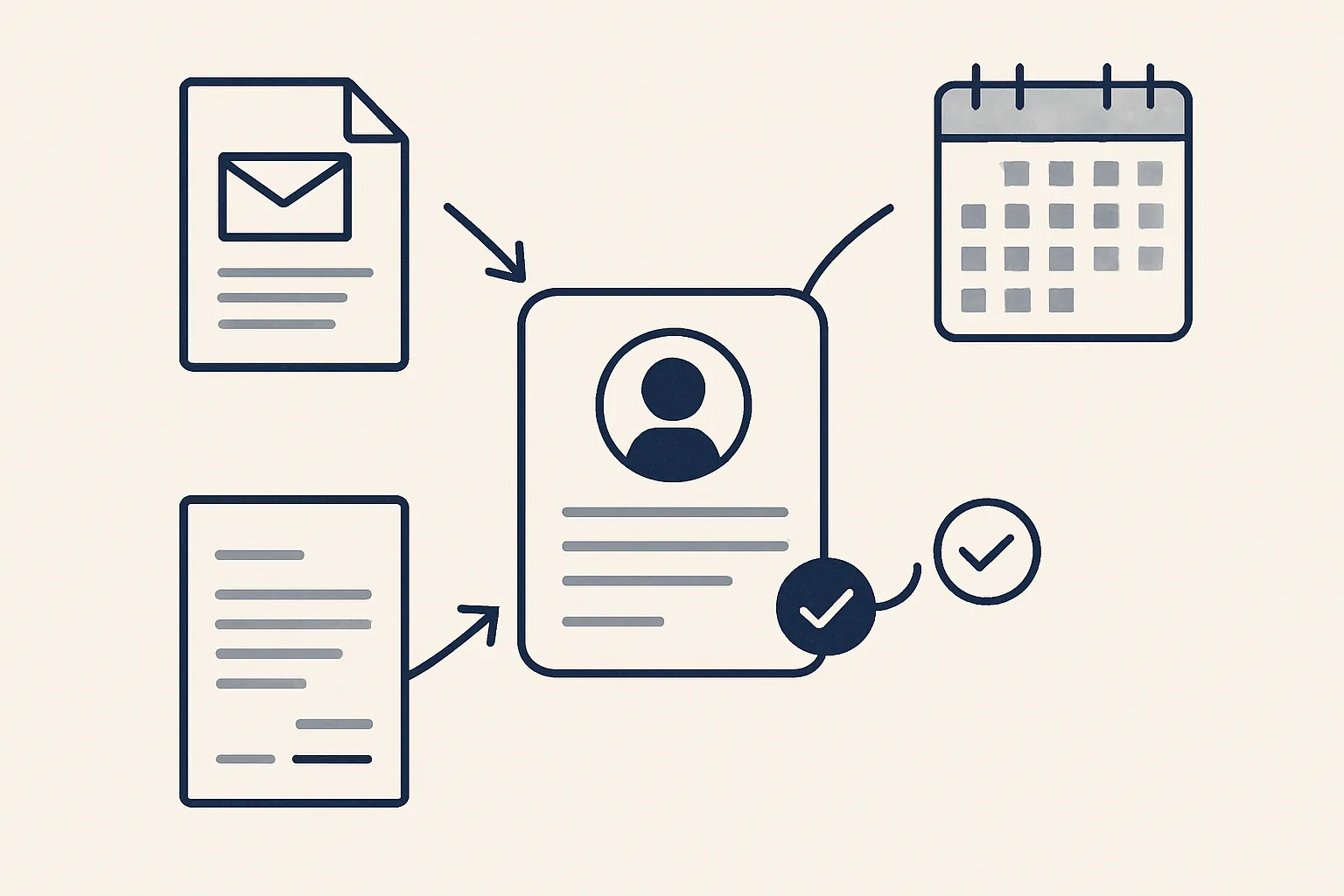
CRM workflow automation keeps client records current from the work itself: new contacts from emails and invoices, last order and last price from your ledger, open follow-ups from your mailbox. Nobody retypes anything, and the CRM can live in the tools you already use.
Why do CRMs go stale?
CRM workflow automation exists because most client records go out of date for one reason: updating them is a job nobody owns.
Picture a family-run building supplier. The client list started tidy. Then a customer changed contact, another was invoiced twice under slightly different names, and a third agreed new terms by email. None of it reached the list. Six months later the list is wrong in small ways that add up.
Nobody was lazy. The work happened in the mailbox and the invoices, and the CRM was one more place to type. It lost. Good data in CRM matters, but only if it stays fresh without extra typing.
Think of it as workflow automation for the CRM itself. The work already happens somewhere else, so let the records follow it.
Here are the usual signs of a stale list:
- Clients you invoiced this year who aren't on the list.
- Old contact names and roles.
- No one can say a client's last price without opening old invoices.
- The last order date isn't on the record.
- The same client appears under two names.
How can records update from email and invoices?
The facts a CRM needs already exist in your emails and invoices. A robot can read them and propose the update.
Say a customer writes from a new address and signs off with a new role. The robot spots the new contact, matches it to the right client and proposes the change. An invoice goes out, and the last order date and last price on that client's record move on.
Part of this is running today for a client: the client and product memory behind sales invoicing, and the price history register. Both are rebuilt from past invoices and kept up to date as new ones come in.
Here's a before and after. Before: a sales person finishes a call, then types notes into the CRM that evening, if they remember. After: the email thread and the invoice feed the record, and the person only checks it.
Anything the robot can't match exactly goes to a person instead of being guessed. That's the idea of a CRM with workflow automation: the data moves on its own and the odd cases come to you.
Who approves a new record?
A new client or a changed contact is proposed first. A person says yes before it becomes part of the record.
Think of a plumber's merchant. A small builder emails for the first time. The robot proposes a new client record with the name, address and contact it found. The office manager checks it in a few seconds and approves. No duplicate, no typo, no half-empty entry.
This is the one rule that matters here: every step starts with your approval, then you choose when it goes automatic. Plain updates, like a changed phone number, can go automatic early. A new client can stay on approval as long as you like.
Can the CRM live in your own tools?
Yes. A CRM can live in a shared spreadsheet, your mailbox and your accounting system. It doesn't have to be a separate product with its own logins.
Say a small wholesaler already keeps customers in a sheet and invoices in Xero. We build the CRM around those. The sheet is the client list. The mailbox feeds it. The accounting system supplies the last order and last price. Nothing to replace and nothing to move.
This is custom CRM development without the long project. We map how you work first, then build the CRM around it. It's built to order, and it's not running for a client yet as a whole. Some of the pieces it draws on do run today.
If you'd rather keep your current CRM, the same updates can feed it. A workflow automation CRM is simply a CRM that updates itself from the work.
How stale are your client records?
Think of your client list as it is today. Tick each statement that is true. The more you tick, the further the records lag behind the work.
How are tasks and follow-ups kept current?
A list shows what's waiting for whom, drawn from your mailbox and from the dates people set. When a reply is due, a draft is prepared.
Say a customer asks for a quote on Monday. By Thursday, nobody has answered. The list shows it as waiting for you, and a draft reply sits ready to read.
Attached to the client record, the open threads mean you see the whole picture in one place: last order, last price and what's still pending.
Nothing here sends a reply by itself. A draft is a draft until you read it.
For incoming enquiries, the route is built to order. Each enquiry is logged on one register, and a draft first reply and draft follow-ups are prepared when a reply is due. No cold outreach, no bought lists.
Who runs it and who controls it?
We run and maintain it. You control what it can see and what it can change.
Our AI employees are rented by the month and work with your own mailbox, sheets and accounts. Your client data stays yours. If you stop, the workflow stops, and every record stays where it was.
Every action is written to a log you can read, and one command stops any robot. If something looks off, you can see exactly what changed and when.
If you ever want to change a rule, say so. We change it, test it and tell you what changed.
Decide who may approve what. In a small team, one person approves new clients and another approves changes to terms. Write it on one line.
Where do you start with clean data?
Start by rebuilding the client list from your past invoices, then add last price and last order date. Clean data in the CRM first, automation second.
A wholesaler we might help would give us a year of invoices. The robot builds one clean row per client, merges the doubles and flags the odd ones for a person to check.
Then it keeps the list current. From that day, the list moves with the work.
It doesn't need to be perfect on day one. A list that is mostly right and moves is far better than a perfect list that stands still.
Tick the list below to see how far your own records have drifted.
Questions
What is CRM workflow automation?
It keeps client records current by reading your emails and invoices and proposing the updates, so nobody has to retype them.
Do we need a new CRM?
No. The CRM can live in your sheets, mailbox and accounting system, or feed the CRM you already have.
Does it change records by itself?
It proposes changes. You approve new clients, and you choose when plain updates go automatic.
Is it running today?
Custom CRM work is built to order. The client and product memory and the price history behind it run today.
Where is the data kept?
In your own sheets and accounts. If you stop, the records stay where they are.
Tell us your workflow. We will build it around you.
Tell us how you keep client records today and how many hours it takes. Write to [email protected] and we'll tell you plainly which updates can run by themselves.
Talk to us Related service: CRM and dashboards

