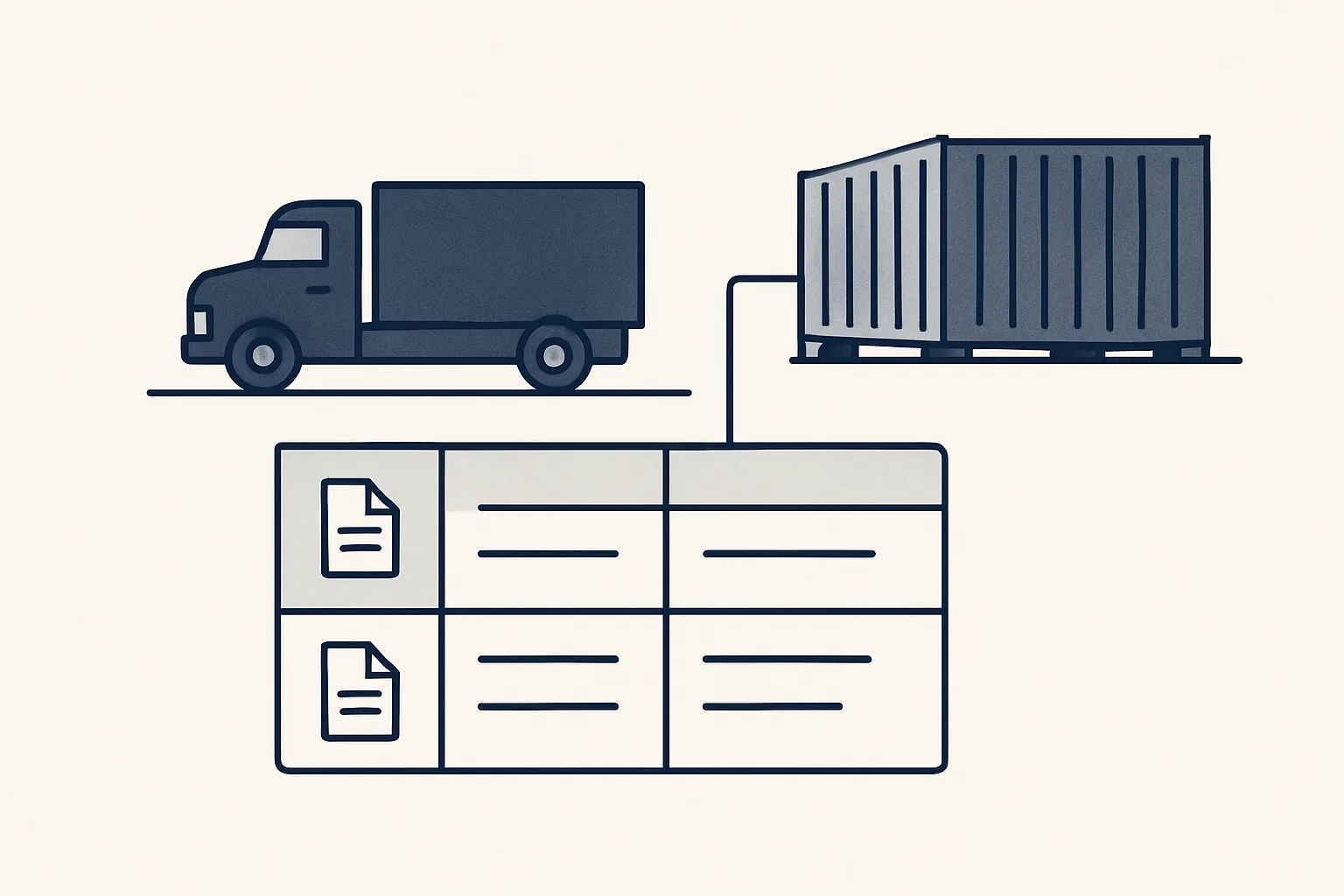
For a trading business, shipment tracking software works best as a simple list with one row per truck or container. Each row holds the supplier, the goods, the dates, the status and links to every document. The same list also tells you what's in stock.
What does a trader really need to track?
A trader needs shipment tracking software that follows the papers and the money around each load, not only a dot on a map.
A carrier can tell you where the truck is. That's one question. A coffee importer has more. Which order is this load? Did the supplier invoice it? Is the delivery note in? Did the customs papers arrive? Is it already sold?
The answers live in documents, scattered across mailboxes and folders. The full picture is often in one person's head, and that person goes on holiday.
Our version is offered and built to order. It doesn't follow trucks by satellite. It keeps the paper trail of every load in one place.
Why one row per shipment?
One row per truck or container is the heart of it: supplier, goods, dates, status and a link to every document for that load.
Many businesses track by order or by invoice instead. But one order can travel on three trucks, and one container can carry two orders. Tracking the physical load matches how goods really move, and how problems show up: a late truck, a short delivery, a missing paper.
It also gives everyone the same reference. A customer calls about their timber. You open one row and see the supplier, the dates and every document, instead of searching three mailboxes. When the accountant asks why a supplier invoice has no delivery, the row answers.
Here are the columns most traders start with. Fewer is fine at first.
| Column | What goes in it |
|---|---|
| Shipment reference | Your own number for the load |
| Supplier and order | Who sends it, against which purchase order |
| Goods | Product, size, quantity and unit |
| Dates | Ready, loaded, expected, arrived |
| Status | Ordered, in transit, arrived, sold |
| Documents | Links to the invoice, transport note, delivery note and customs papers |
| Customer | Who bought it, once it's sold |
| Missing | Papers you're still waiting for |
How do documents find their row?
Each document that arrives is read, matched to its row and filed in that load's folder, so the row becomes the index to the whole paper trail.
This is logistics document management in practice. A supplier invoice carries the order number. A transport document carries the container and the dates. A delivery note shows what really arrived. The robot reads each one, finds the right row, files the PDF and adds the link. If it can't match a document with confidence, it passes it to a person instead of filing it under a guess.
The same engine already runs for a client on supplier bills: it reads the mailbox, recognizes invoices and credit notes, and creates draft bills with the PDF attached. The shipment list adds one step, linking each document to its load.
The Missing column is often the most useful one. When it shows the delivery note or the customs papers aren't in yet, you can chase them before the customer or the accountant does.
Can status come from my emails?
Yes. The status can be proposed from the emails that already announce it, like loading confirmations and arrival notices, and a person confirms.
Your suppliers and forwarders already tell you when a load is ready, when it leaves and when it should arrive. The trouble is those emails sit in different mailboxes, and the list gets updated when someone remembers. The robot reads them and proposes the change on the right row. Here's one load from start to finish.
- A purchase order goes out and a new row opens with the supplier, goods and order number.
- The supplier's confirmation and invoice arrive and are linked to the row.
- The transport email arrives and the robot proposes the status "in transit" with the expected date.
- The delivery note arrives and the robot records what actually came, flagging any gap.
- A person confirms the arrival and the row moves to stock.
- Once the goods are sold, the sales invoice is linked and the row closes.
Pick the columns your shipment list needs
Tick each piece of information you need to see for every load. The result suggests how big a list to start with.
Can the same list show my stock?
Yes. If every load has a row, your stock is simply the rows that have arrived and aren't sold yet.
Many traders buy stock management software and still keep a spreadsheet beside it, because the software doesn't know about goods on the road or loads that were split. A shipment list knows both. Goods on the road are the rows in transit. Goods in the warehouse have arrived and aren't sold. Goods sold but not delivered have a customer and no delivery date.
This is inventory management automation built from documents, not barcode scans. It suits businesses that move goods in big lots, like timber, metals, food or textiles, more than a shop with thousands of small items. It doesn't replace a physical check. It tells you what the check should find.
How do I start from my current spreadsheet?
Most traders already keep some list of loads. Start there, and tidy it into one row per load with fixed columns.
Agree the columns with the people who use the list. Then fill in the open loads first, the ones ordered, on the road or in stock, not the whole history. After that the robot keeps them current as papers arrive. Older loads can come later if you need them for reports. A few things to keep in mind:
- One row per physical load, even if an order is split across several.
- One shipment reference everywhere: row, folder and file names.
- Write down which papers each route needs, so "Missing" means something.
- Decide who confirms arrival, because that moves goods into stock.
- Keep the list in your own sheet, where everyone already works.
How is it run, and what does it not do?
The shipment list is offered as a rented AI employee, built to order and run on our servers against your own mailbox, folders and sheets.
Your data stays yours. If the rental stops, the workflow stops, and the list, the folders and every document stay where they are. You pay one monthly figure per workflow, stated in the quote. Every action goes in a log, one command stops any robot, and nothing is switched on without your yes.
It doesn't track vehicles live, book transport, file customs declarations or send anything to suppliers or customers. Customs and tax questions belong with your broker or adviser. It keeps the record straight so the people deciding have the papers in front of them.
Questions
What is shipment tracking software?
Software that records where each shipment is and what has happened to it. For a trader, the useful kind follows the papers and status of each load in one list, not only its position.
Does this give live GPS tracking?
No. It keeps the paper trail and status of each load from documents and emails. Live position comes from your carrier or forwarder.
Is a spreadsheet enough to track shipments?
Often yes, if it has one row per load, fixed columns and someone or something keeping it current.
How do I see stock from shipments?
Count the rows that have arrived and aren't sold yet. Rows in transit show what's on the way.
Is this running today?
The shipment list is offered and built to order. The supplier bills engine it builds on is running today for a client.
Tell us your workflow. We will build it around you.
Tell us how many loads you move each month and how long your shipment list takes to keep current. Write to [email protected] and we'll say plainly whether it fits.
Talk to us Related service: Stock and shipments

