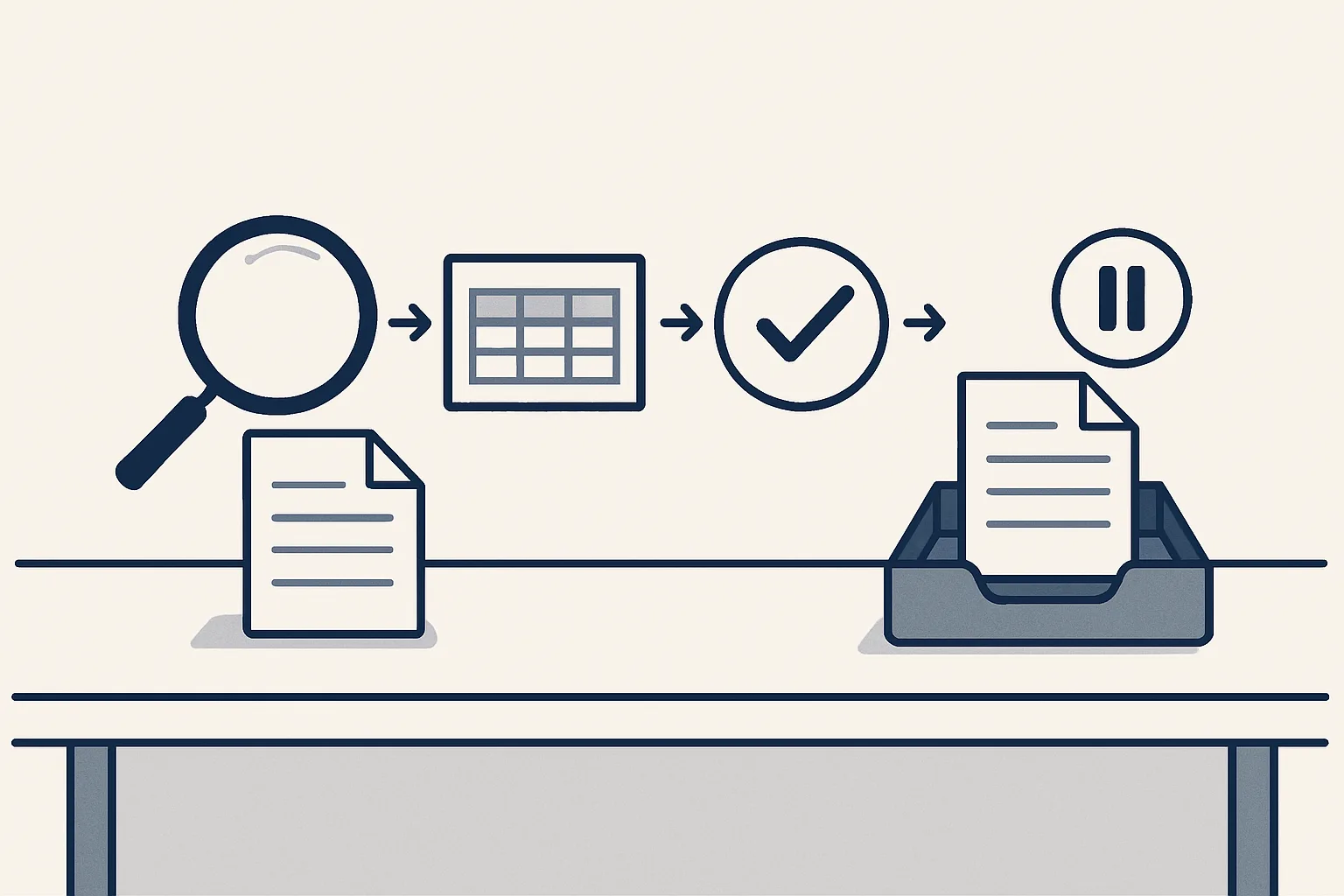
What is an AI agent? It is software that is given a goal and works through the steps itself, reading inputs, using tools and checking results, rather than answering a single prompt. In an office that means reading a supplier invoice email, extracting the details and preparing a bill in your accounting system.
The short definition
What is an AI agent? It is software that receives a goal, decides which steps to take, carries them out with the tools it has been given, and checks the result before it stops.
The word agent comes from the idea of acting on someone's behalf. So when people ask what is an agent in AI, the plain answer is a program that acts rather than only replies. A chat window answers the question you typed. An agent is handed a job, such as "enter this supplier invoice", and moves through reading, deciding, doing and checking until the job is finished or it reaches something it should not decide alone.
You will also see the phrase agentic AI. A working agentic AI definition is simply this: AI that plans and takes several steps toward a goal, using tools along the way, instead of producing one answer and waiting. The label is newer than the idea. Office software has followed rules for decades; what changed is that a language model can now read messy inputs, such as an email written in a hurry or a scanned page, well enough to take part in the steps.
This guide explains what AI agents are made of, how they differ from chatbots, where they are useful in an ordinary office, and where they go wrong. It uses one example throughout: a supplier invoice arriving by email, because nearly every business receives them and the steps are easy to follow.
How an agent differs from a chatbot
A chatbot answers what you ask; an agent is given a goal and carries out the steps to reach it.
Both often run on the same kind of language model underneath, which is why the two are often confused. The difference is in what surrounds the model. A chatbot has a text box and a reply. An agent has an event that starts it, tools that let it read and write in real systems, a record of what it has done, and rules about when to stop.
That difference matters for anyone thinking about AI agents at work. A chatbot can help you write a reply to a supplier, but you still copy it into your mailbox, attach the file and send it. An agent can be set up to notice the supplier's email, read the attachment, prepare the draft and put it where you will find it. The table sets the two side by side.
| Question | Chatbot | AI agent |
|---|---|---|
| What starts it? | You type a question | An event: an email arrives, a file lands, a row is marked ready |
| What does it have to work with? | The text you give it | Tools that read and write in your mailbox, folders, sheets or accounts |
| How many steps does it take? | One reply per question | Several steps, chosen toward a goal |
| How does it know it is done? | It does not; you decide | It checks the result against rules it was given |
| What happens to unclear cases? | It gives its best answer anyway | A well-built one stops and passes them to a person |
| What is left behind? | A chat history | A draft in the right place and a record of each step |
The parts of an agent: goal, tools, memory, checks
Every useful agent has four parts: a goal, tools, memory and checks, and it is only as good as the weakest of them.
Asking what an agent is made of is the most practical way to answer what is an AI agent, because the parts are what you will set up, check and pay for.
The goal is the job written down, with a clear start and a clear finish. "Help with accounts" is not a goal. "Turn each supplier invoice in this mailbox into a draft bill with the PDF attached" is. A vague goal produces an agent that wanders; a precise one produces an agent you can check.
Tools are what the agent can touch. Reading a mailbox, opening a PDF, looking up a supplier in the accounting system and creating a draft bill are each a tool. An agent should get only the tools its job needs. One that enters bills has no reason to be able to make a payment, so it should not be given that ability.
Memory is what it knows beyond the document in front of it: the list of known suppliers, the invoice numbers already entered, the layouts it has seen before. Checks are the rules that decide whether a result is good enough to hand over. Here is how the four parts look for the invoice example.
- Goal: each supplier invoice that arrives becomes a draft bill in the accounting system, with its PDF attached and filed under the supplier.
- Tools: read the mailbox and a drop folder, read PDFs and scans, look up suppliers, create a draft bill, file a document, send a notification.
- Memory: the supplier list, the layouts of regular suppliers' invoices, and the invoice numbers already entered.
- Checks: the supplier is known, the amounts add up, the number is not a duplicate, and the document is clearly an invoice or a credit note.
- Limits: no payments, no new suppliers without the owner's yes, no sending, and no guessing on anything unclear.
Could an agent take this job through every step?
Pick one job, such as entering a supplier invoice, and walk it through the steps an agent would take. Tick each statement that is true today.
Office examples: one invoice email as an agent sees it
In an office, an agent is most useful on a job that arrives often, follows rules and ends in a document, an entry or an email.
Follow a single supplier invoice through an agent built for bills. A building-supplies wholesaler emails a PDF invoice to the accounts mailbox of a small contractor on a Tuesday morning. Nobody has to forward it or open it for the agent to start.
- Read: the agent notices the new email, opens the attachment and works out whether it is an invoice, a credit note, a statement or something else.
- Extract: it reads the supplier, the date, the invoice number, the net amount, the tax and the total, by template if it knows the layout and with a model's help if it does not.
- Check: it confirms the supplier is already in the accounting system, the figures add up and that number has not been entered before.
- Draft: it creates a draft bill with the PDF attached and files a copy of the PDF in the supplier's folder.
- Hand over: it sends one notification saying what it did, and the bill waits for your approval.
- Stop on doubt: if any check fails, such as an unknown supplier or a refund, it creates nothing and passes the document to a person instead.
Where agents go wrong
Agents go wrong when their goal is vague, their tools are too broad, or they are allowed to guess instead of stopping.
Any honest answer to what is an AI agent has to include its failures, because they are predictable and most of them can be designed out.
A language model is very good at producing something plausible. That is a strength when the input is messy and a weakness when the answer must be exact. An agent that reads a blurred total and fills in a likely number has produced an error that looks correct, which is the most expensive kind. The cure is a check that refuses to continue when the figures do not add up, and a person who receives the document instead.
Broad tools turn small mistakes into large ones. An agent with permission to send emails can send the wrong one to a customer; an agent that can only create drafts cannot. Limiting the tools is the simplest safety measure there is, and it costs nothing in usefulness, because the person approving the draft was going to look at it anyway.
Finally, agents drift when nobody can see what they did. Without a record of each step, a wrong entry is found weeks later with no way of telling how it happened. With a record, the question "why was this coded here?" has an answer.
Keeping a person in charge
The safest way to use AI agents in a business is graduated automation: start with your approval on every step and move steps to automatic as they prove themselves.
That is how ours are built. We call them AI employees, and each one is an agent with one written job. They are rented monthly and run on our servers against the client's own accounts: today that means Google Workspace mailboxes, Google Drive, Google Sheets and Xero. The robot drafts, and every result waits in the client's own systems. Every action is written to a log, anything the agent cannot do exactly goes to a person instead of being guessed, and one command stops any robot at once.
Several of these jobs are running today for a client: supplier bills, sales invoicing, purchase orders, invoice filing, a daily mail digest and online contract signing. Others are offered and built to order on the same engine, such as drafted customer replies, expense receipts and meeting minutes. We say which is which, because the difference matters when you are deciding what to hand over.
What an agent does not do is take responsibility. It does not decide what is owed, agree a dispute or approve its own work. Those stay with the people who run the business, and a good agent makes their part quicker by putting a checked draft in front of them instead of a pile of unread emails.
Questions
What are AI agents in simple words?
Programs that are given a goal and work through the steps to reach it, using tools such as your mailbox or accounting system, instead of answering one question at a time.
What are the seven types of AI agents?
Textbooks usually list simple reflex, model-based, goal-based, utility-based and learning agents, and some lists add hierarchical and multi-agent systems. For an office, the type matters less than the goal, the tools it is allowed and the checks it runs.
Is ChatGPT an AI agent?
A chat assistant on its own answers prompts. It becomes part of an agent when it is connected to tools, given a goal and allowed to take several steps, with checks around it.
How can I use AI agents in my business?
Start with one job that repeats often and follows rules, such as entering supplier bills. Give the agent only the tools that job needs, check each result at first, and move a step to automatic once it has proven itself.
Can an AI agent send emails or pay bills by itself?
It can be built to, but ours are not. They start every step with your approval; you decide later what goes automatic, and payments stay with you.
Tell us your workflow. We will build it around you.
Write to [email protected] with one job and the hours it takes you each month. We will tell you plainly whether an agent fits it.
Talk to us Related service: Services

