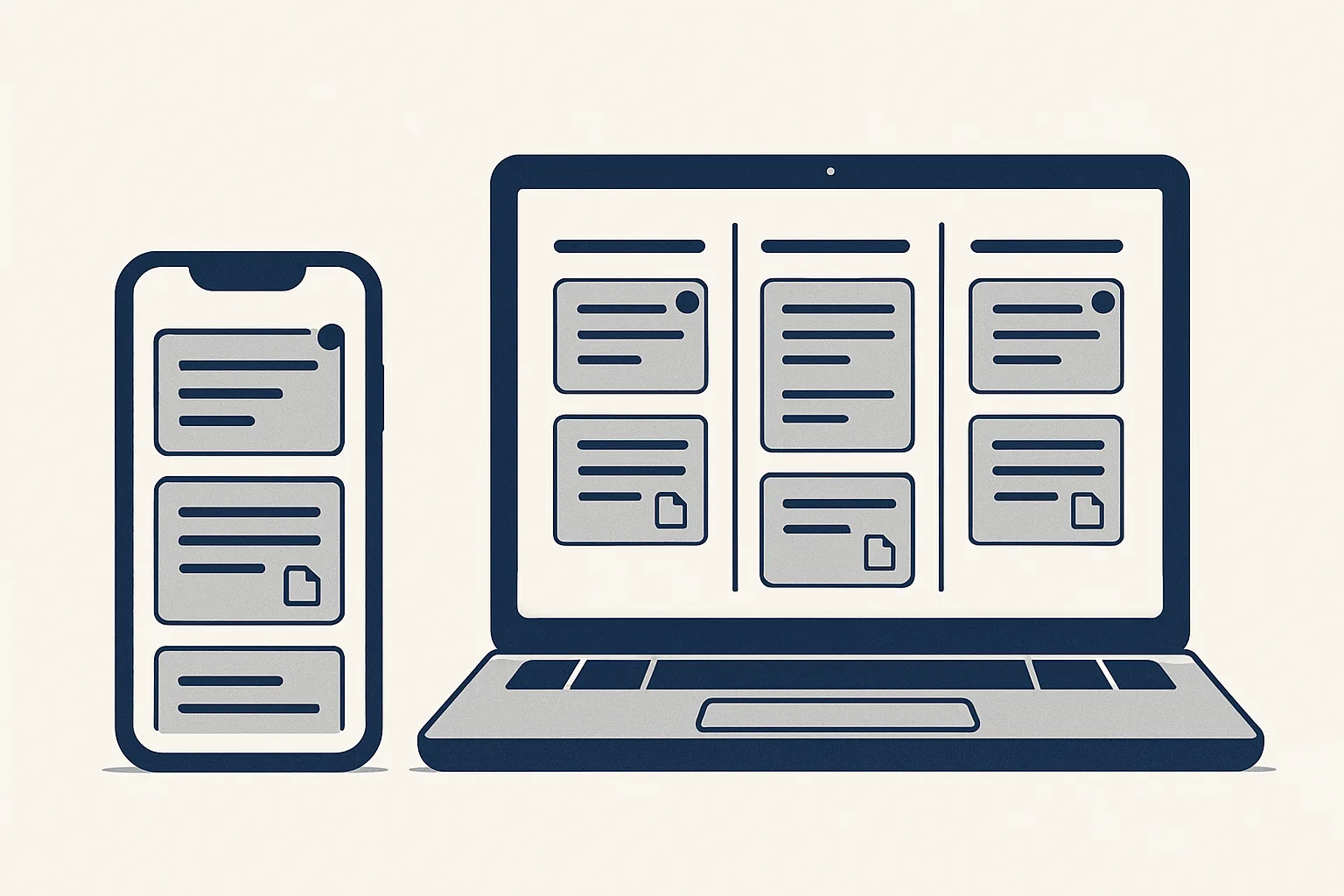
Good client portal software gives each client one place to see what is waiting for whom, exchange messages and files and get notified, instead of threads scattered across email. Before you choose, check how tasks are tracked, how notifications work and where the record of every message is kept.
Why a portal beats email threads
Client portal software replaces scattered email threads with one shared place per client, where every task, message and file sits together and anyone can see what is waiting.
Email was built for letters, not for projects. A single piece of client work can spread across a dozen threads, with attachments in some, decisions in others and the latest version of a document known only to whoever sent it last. When a colleague is away, nobody can tell what the client is still waiting for.
A client portal fixes that by giving the work a home. The client logs in, or opens an app on their phone, and sees the same picture as your team: the open tasks, the last message on each, the files attached and the question that still needs an answer. Nothing depends on searching an inbox.
This matters most for firms that handle many small requests from the same clients: accountants, agencies, property managers, consultants and suppliers with regular buyers. For them, client portal software is less about looking modern and more about never losing a request.
The table below shows the difference on a few everyday questions.
| Everyday question | Email threads | A client portal |
|---|---|---|
| What is the client waiting for? | Ask around, or search several inboxes | Visible on the client's page |
| Where is the latest file? | In whichever reply sent it last | Attached to the task it belongs to |
| Who answered the client's question? | Whoever was copied, if anyone | Shown on the task with a name and time |
| Is this task finished? | Unclear until someone says so | Marked done, or reopened if needed |
| What did we agree last month? | Buried in a long thread | Kept on the task and in the record |
Tasks and who is waiting
The most important feature in client portal software is a clear view of each task and who it is waiting on: the client, your team or an automated step.
Messages alone are not enough. A portal that is only a chat window recreates the email problem in a new place. Look for tasks as the main unit: each request, document or question becomes a task with its own conversation, its own files and its own status.
Status should be simple. Open or done is often enough, with a way to reopen a task when the client comes back with a follow-up. What matters more is a page per client that lists everything still open and says plainly whose turn it is, so a morning check takes a minute instead of a search.
If your work involves automation as well as people, check that the portal can show that too. In the client app we run today, every task has three spaces: one for the AI, one for the client and one for the team. Each side can see where the work stands, and the AI's drafts and notes sit in their own space instead of mixing with the conversation.
Ask to see this page during a demonstration. If the supplier needs several clicks and filters to answer 'what is this client waiting for?', the client portal software will not save you the morning search it promises.
Messages, files and voice notes
A good customer portal lets people talk, share files and leave voice notes on the task itself, so the context never has to be retold.
Clients rarely write long, structured messages. They send a photo, a quick question, a scanned form or a voice note recorded between meetings. The portal should accept all of these without friction and keep them attached to the task they concern.
Voice notes deserve a special mention. They are the fastest way for a busy client to explain something, but a recording on its own is hard to search. A useful portal transcribes them, so the words appear as text beside the audio and can be found later.
When you test a product, try these with a colleague playing the client:
- Send a message on a task and reply from a phone.
- Attach a PDF and a photo, then find both again a week later.
- Record a voice note and check whether a transcript appears.
- Mention a named colleague and see whether they are told.
- Mark the task done, then reopen it with a follow-up question.
- Look at the client's page and see whether it shows what is waiting for whom.
Notifications
Notifications decide whether a client communication app is used or ignored, so check that they are targeted, immediate and reach the phone.
A portal nobody opens is no better than email. People open it when something tells them there is a reason to. Push notifications to the phone do that job well, but only if they are aimed: a note to everyone about everything soon gets switched off.
Look for mentions. Typing a person's name, for example @Anna, should send a push to that person and nobody else. Our client app works this way, and it also shows unread badges, so each person can see where new messages are waiting without opening every task.
Also check who can be notified. Several administrators, such as partners in a firm, may need to share the same dashboard and receive their own alerts, while each client only sees and hears about their own work.
Client portal requirements check
Tick each feature that is a must-have for your clients. Leave the nice-to-haves and the ones you do not need unticked. Your ticked list is the requirements list to test products against.
Where the record is kept
Before choosing client portal software, ask where the record of every message and file is stored and whether you can still read it if you stop using the product.
Many portals keep everything inside their own database. That is convenient until you want to leave, change supplier or answer a question years later. Exports can be partial, attachments can be lost and the structure of the conversation may not survive.
A stronger arrangement keeps a copy in a place you already own. In the client app we run today, everything is also kept in the client's own spreadsheet, one sheet per client, with every message, reply and attachment link in order. The portal is the convenient way in; the record belongs to the client.
Ask three questions of any supplier. Where is the record stored? Who can read it? What do we keep if we stop? Clear answers to all three are worth more than a long feature list.
What a portal does not do
A portal organizes the conversation; it does not do the work inside it, and it will not make an unresponsive client respond.
Some buyers expect client portal software to cut the workload by itself. It removes the searching, the forwarding and the asking around, but the documents still need preparing and the questions still need answering. Where those steps repeat, automation can prepare them, and the portal is where the results appear for your approval.
A portal also needs a habit. If half the team keeps replying by email, the record splits in two and the portal loses its point. Agree a simple rule before you start: client work goes on the task, and email is only for the first contact.
Our own client app is rented monthly as part of the work we run for a client, on our servers, with the record kept in the client's own sheet. It is not sold as a standalone product, and nothing in it is sent to anyone by a robot.
The checklist: how to compare client portal software
The quickest way to compare client portal software is to list the features you must have, the ones that would be nice and the ones you do not need, then test each product against the first group only.
Most comparisons go wrong by counting features. A product with dozens of options you will never use is not better than a simple one that does the five things your clients need. Start from how your clients actually work with you today, then follow these steps:
- Write down the three most common things clients send or ask you for in a month.
- Mark each feature in the checklist above as a must, a nice-to-have or not needed.
- Shortlist only products that meet every must; ignore the rest of their feature lists.
- Run one real task through each shortlisted portal with a friendly client or a colleague.
- Check notifications on a phone, not just on a desktop.
- Ask where the record is kept and what you would keep if you stopped.
- Decide on how the trial felt for the client, not only for your team.
Questions
What is client portal software?
It is a shared space, on the web or a phone app, where a business and each of its clients exchange messages and files, track tasks and see what is waiting, instead of using scattered email threads.
What is the difference between a client portal and a customer portal?
The terms are often used for the same thing. Customer portal is more common for self-service, such as orders and invoices; client portal is more common for ongoing work with tasks and conversations.
Do clients actually use portals?
They use the ones that are easy on a phone and tell them, by a targeted notification, when there is something for them. A portal that needs a login and a search for every message is quickly abandoned.
Is a client communication app secure enough for documents?
That depends on the product. Ask who can see each client's tasks, how access is granted and removed, and where the files and the record are stored.
Can a client portal work with AI?
Yes. In our client app the AI has its own space on each task, where its drafts and notes sit beside the client's and the team's conversation. At the start you check and send anything that leaves the company; later you choose what goes automatic.
Tell us your workflow. We will build it around you.
Write to [email protected] with the hours you spend each week chasing clients across email threads, and we will tell you plainly whether a portal would give them back.
Talk to us Related service: Client app

