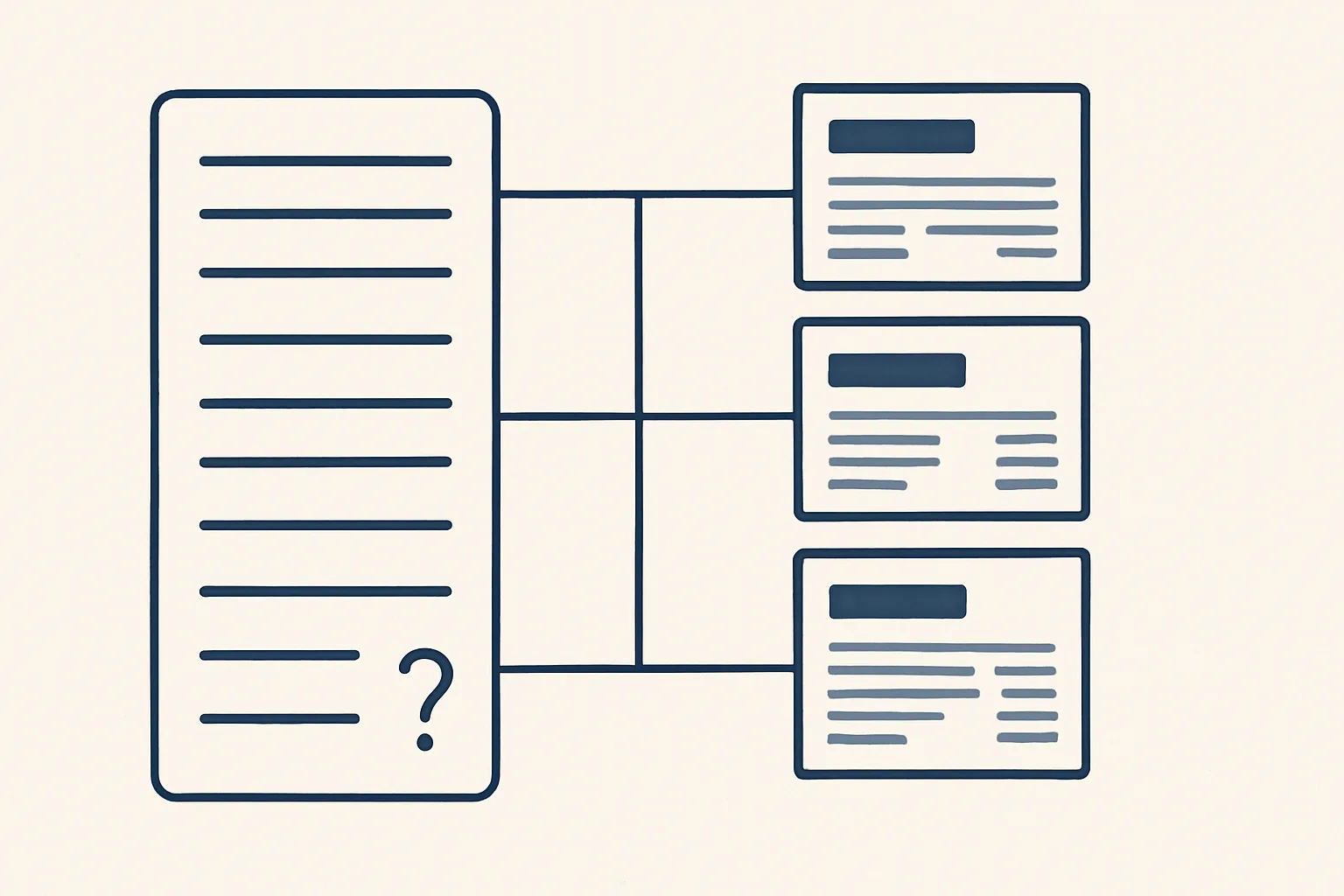
Bank reconciliation automation reads the bank lines and proposes a match for each one, an invoice, a bill or a known recurring payment, with the reason shown. A person confirms the suggestions; lines with no clear match stay open for review rather than being forced.
Why reconciliation falls behind
Reconciliation falls behind because each bank line needs a small decision, the decisions pile up, and bank reconciliation automation exists to prepare those decisions so a person only confirms them.
On paper, reconciling is simple: every line on the bank statement should match something in the books, an invoice paid, a bill settled, a fee, a transfer. In practice, customers pay several invoices at once, or part of one. References are missing or wrong. Fees are taken off the amount. A supplier refunds an overpayment months later. Each of those lines takes a few minutes of searching, and nobody has those minutes at month end.
So the unreconciled lines grow. Then the figures for unpaid invoices are wrong, because payments that arrived were never matched. Customers get reminders for invoices they paid. The accountant asks questions nobody can answer quickly. Catching up becomes a project in itself.
The table shows the usual reasons a line resists matching, and what a suggestion can do with each.
| Why the line is hard | Example | What a suggestion can do |
|---|---|---|
| One payment, several invoices | A customer pays three invoices in one transfer | Propose the set of open invoices that adds up to the amount |
| Part payment | A customer pays half an invoice | Propose the invoice and show the amount still open |
| Missing or wrong reference | The transfer says only the customer's name | Propose by payer and amount, with lower confidence shown |
| Bank fees deducted | The amount received is slightly short | Propose the invoice and a separate fee line |
| Recurring payment | Rent, a subscription, a loan repayment | Propose the known rule for that payee |
| Nothing fits | An unknown transfer in or out | Leave it open for a person, with no forced match |
How matching suggestions are made
Each bank line is compared with open invoices, open bills and known recurring payments, and the best candidate is proposed with the reason shown.
The comparison uses what is on the line and what is in the books: the amount, the date, the payer or payee name, and any reference. A suggestion is only as good as its reason, so each one says why it was made: same amount and same invoice number in the reference, or same payer and an amount equal to two open invoices.
Good bank reconciliation automation also learns from your own confirmations. When a person confirms that a certain payer always settles a certain kind of invoice, or that a monthly charge always belongs to the same account, that becomes a rule, and the next line of that kind is proposed with a clearer reason.
This is offered and built to order on the same engine as our supplier bills robot, which runs today. Here is how one bank line moves through it.
- The bank lines for the period are read from your bank feed or statement export.
- For each line, the robot looks for open invoices, open bills and known recurring payments that fit the amount, date and party.
- It ranks the candidates and keeps only those with a clear reason.
- It writes a suggestion beside the line: the proposed match, the reason, and any difference such as a fee.
- Lines with no clear candidate are marked open, with a note on what was searched.
- A person reviews the list, confirms the good suggestions and handles the open lines.
- Every suggestion and every confirmation is written to the audit record.
Confirming versus forcing a match in bank reconciliation automation
A suggestion is confirmed by a person; it is never forced, and a line that does not clearly match stays open rather than being pushed onto the nearest invoice.
Forcing a match is the quiet failure of careless bank reconciliation automation. The balance looks right, but a payment from one customer now sits against another customer's invoice. The first customer gets a reminder for an invoice they paid; the second looks paid when they are not. Nobody notices until someone complains.
That is why ours only produces suggestions. The robot does not post, does not move money and does not decide. A person confirms each match in the accounting system, or rejects it and picks another. Anything the robot cannot do exactly goes to a person instead of being guessed.
Confirmation is also faster than it sounds. When the reason is written beside each suggestion, most can be confirmed at a glance, and attention goes to the few that need it.
Your reconciliation backlog: a suggested weekly routine
Tick each statement that is true of your books today. The result suggests a weekly routine for keeping bank lines matched.
Unmatched lines and what to do
Unmatched lines are a short, named list for a person to work through, each with a note on what was searched and why nothing fitted.
Most unmatched lines fall into a handful of kinds, and each has a usual next step. Where a payment from a customer cannot be placed, the right move is often to ask the customer which invoices it covers. That request can be prepared as a draft email for a person to send, which is where reconciliation meets accounts receivable automation.
Typical unmatched lines and the usual next step:
- A customer payment with no reference: ask the customer which invoices it covers.
- A supplier payment that matches no bill: check whether the bill was ever received and entered.
- A transfer between your own accounts: confirm and record it as a transfer.
- An unknown charge: check with the bank or the card holder before coding it.
- A refund or credit: link it to the credit note, or ask the sender for one.
- Anything to do with tax payments or refunds: check with your adviser how it should be recorded.
Keeping it current
Reconciliation stays current when it is done weekly, in a short session, on suggestions already prepared.
A backlog is mostly a timing problem. A week's lines are easy to remember; a quarter's are not. When suggestions are ready each week, the review takes a short, fixed slot in someone's calendar, and the open lines are still fresh enough to resolve with one email.
The weekly slot works best with the same person each time and a short written list of rules: which payers are known, which charges recur, which accounts are your own. Bank reconciliation automation then does the searching, and the person spends the slot on decisions rather than on hunting through statements.
Keeping current also feeds the rest of the books. Payments matched promptly mean the list of unpaid invoices is right, so any reminders go only to customers who really owe. Payment reminders drafted from that list are a separate job, also offered and built to order: a draft reminder for each overdue invoice, for a person to check and send. It is the core of what people look for in credit control software, without anything being sent by a robot.
Together these make a simple accounting workflow automation: bills entered as drafts, bank lines matched by suggestion, reminders drafted from a correct list, and a person signing each step.
What you need to start
To start bank reconciliation automation you need access to your bank lines, your accounting system and a person who will review the suggestions each week.
The bank lines can come from the feed your accounting system already receives, or from a statement export. The accounting system holds the open invoices and bills. The recurring payments are listed once: rent, subscriptions, loan repayments, payroll transfers, with the payee and the usual amount.
If there is a backlog, decide first how far back to go. Sometimes the right answer is to clear the old lines with the accountant and start fresh from a clean date, so the weekly routine is not buried under history.
It also helps to agree what counts as close enough. A suggestion with a small difference, such as a bank fee, may be fine to confirm with a fee line; a larger gap should stay open. Writing that tolerance down, with your accountant, keeps bank reconciliation automation consistent from one week to the next.
Our AI employees are rented monthly and run on our servers against your own bank feed and accounting system. A kill switch stops any robot in one command, and nothing is switched on without your yes. The self-check above suggests a weekly routine based on your own backlog.
Questions
Can bank reconciliation be fully automated?
Matching can be suggested automatically, but ours never confirms by itself. A person confirms each suggestion, and lines with no clear match stay open for review.
What happens to a payment that matches no invoice?
It stays open, with a note on what was searched. A person decides, often after asking the customer which invoices it covers.
How often should bank reconciliation be done?
Weekly works well for most businesses: the lines are fresh, the session is short, and the list of unpaid invoices stays correct.
Is your bank matching running today?
It is offered and built to order. The supplier bills robot it builds on runs today for clients.
Does the robot move money or post entries?
No. It prepares suggestions. A person confirms matches in the accounting system, and the robot never moves money.
Want hours back from this work?
Write to [email protected] with how many bank lines you reconcile each month and how long it takes, and we will tell you plainly whether matching suggestions would help.
Talk to us Related service: Bank and receivables

