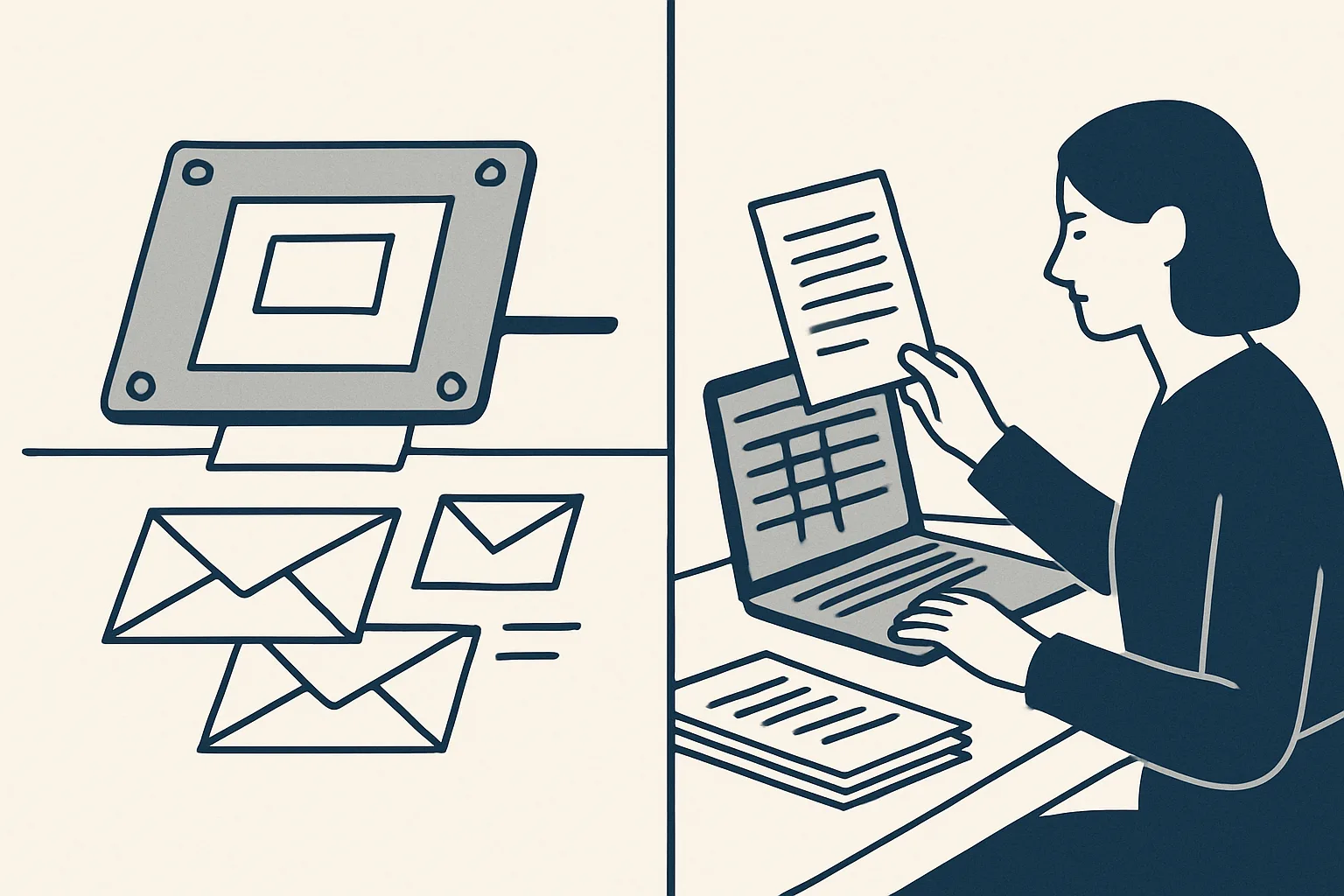
Document automation software creates documents, such as contracts, invoices and letters, from templates and data; document processing reads documents that arrive and extracts their data. Many businesses need both: one to produce paperwork, one to stop retyping what comes in.
Two different jobs
Document automation software and document processing do opposite jobs: the first writes documents out of your data, the second reads data out of documents other people send you.
The names cause confusion because both involve documents and both save typing. But they start at different ends. Generation starts with data you already hold, such as a customer, a product and a price, and produces a finished document. Processing starts with a document someone else made, such as a supplier invoice, and turns it into data in your systems.
Most businesses have both problems. They produce the same kinds of documents again and again, and they receive a steady stream of documents that someone retypes. Knowing which problem costs more hours tells you where to start.
Search results blur the line further. Many products sold as document automation software are template builders for contracts and letters; others under the same heading are invoice readers. Before comparing any of them, write down which direction your documents travel, out of the business or into it, because that decides which kind of tool can help at all.
The table puts the two side by side.
| Question | Document generation | Document processing |
|---|---|---|
| Starts with | Your own data: a sheet row, a record, a form | A document someone sends you |
| Ends with | A finished document: invoice, order, contract, letter | Data in your systems, with the document attached |
| Main risk | A wrong template or wrong data copied many times | A misread figure or a document matched to the wrong record |
| Key control | A person checks the draft before it is sent | Figures must add up; unclear documents go to a person |
| Typical examples | Sales invoices, purchase orders, proposals | Supplier bills, credit notes, receipts |
Generating documents from templates
Document generation fills a template with your data to produce a finished document, so the same kind of document is never typed from scratch twice.
The pattern is simple: a template holds the fixed parts, such as the layout, the legal wording and the logo, and a source holds the variable parts, such as the customer, the lines and the prices. Put them together and you have a document, rendered as a PDF and filed.
The quality of generated documents depends on the source more than the template. If customer addresses, product names and prices live in one maintained sheet or system, every document built from it inherits that accuracy. If they live in old copies of previous documents, document automation software will reproduce whatever errors those copies contain. Cleaning the source is often the first real piece of work.
Several of our AI employees generate documents, and three are running today. Sales invoicing prepares each invoice from a sheet that remembers clients and products, applies the tax wording at creation, renders and files the PDF and leaves a draft invoice in the accounting system with a draft email beside it. Purchase orders are rendered from one row in a sheet after two confirmations. Proposals become private web pages that each party signs online, with a signature certificate.
Employee starter packs, prepared from the client's own templates, are offered and built to order. In every case, the document is a draft until a person checks it.
Reading documents that arrive
Document processing reads incoming documents, picks out the details that matter and enters them in your systems, attaching the original.
Incoming documents are messier than outgoing ones. They come in every layout, as PDFs, scans and photos, from senders you do not control. A good processing system uses the cheapest reliable method for each: a template for layouts it knows, text recognition for scans and a model's help for unfamiliar layouts.
Processing also needs a decision about what counts as done. For a supplier bill, done may mean a draft bill with the PDF attached and filed under the supplier. For a receipt, it may mean a draft expense entry sorted by person and month. Agreeing that end point in advance keeps the work measurable and the checks simple.
Our supplier bills robot is running today. It reads the mailbox and a drop folder, recognizes invoices and credit notes and creates draft bills in the accounting system with the PDF attached. Invoice filing also runs today, filing invoices that arrive in the company mailboxes by month. Expense receipts, read from photos and PDFs into draft expense entries, are offered and built to order. Each document follows the same route.
- The document arrives by email or in a drop folder.
- It is recognized by type: invoice, credit note, receipt or something else.
- The key details are read: sender, date, number, amounts.
- The figures are checked: the sender is known and the amounts add up.
- A draft entry is created with the document attached, and the original is filed.
- Anything unclear goes to a person instead of being guessed.
Generation, processing, or both?
Tick each statement that is true for your business. The first four point to generation, the last four to processing. Note which half your ticks fall in, as well as the total.
Where each saves effort
Generation saves effort where you produce many similar documents; processing saves effort where you receive many documents that someone retypes.
Document automation benefits show up differently on each side. With generation, the gain is consistency as much as time: the right wording, the right numbers and the right customer details, every time, because they come from one source. With processing, the gain is that nobody types figures from a PDF into a system, and every original is attached and filed where it can be found.
There are limits on both sides, and they are worth stating plainly.
- Generation does not decide what a document should say; a person sets the template and the rules.
- Generation repeats mistakes faithfully if the template or the data is wrong, which is why drafts are checked.
- Processing cannot read what is not on the page, such as which project a cost belongs to, unless a rule says so.
- Processing should never guess; unclear documents go to a person.
- Neither sends, posts or pays anything by itself in our set-up.
Filing, naming and finding
Both kinds of automation are only as good as their filing: every document, produced or received, should land in a predictable folder under a predictable name.
Document workflow automation is the larger idea that ties both together: a document is created or received, checked, approved, filed and recorded, with each step done the same way each time. The filing step is the one most often skipped by hand, and the one an accountant or auditor notices first.
A simple rule set works for most businesses. File by customer or supplier and by month. Name each file with the date, the type and the number. Keep the PDF attached to the entry in the accounting system as well as in the folder. Write every action to a log, so that anyone can see when a document arrived, what was done with it and who approved it.
Ours file into your own folders and keep registers in your own sheets. Nothing moves into a separate system your team has to learn.
Choosing for your business
Choose by counting: list the documents you produce and the documents you receive, note how long each takes by hand, and start where the hours are.
Many document automation tools do one side well and the other side poorly, so be clear about which job you are buying for. A tool built for contracts from templates will not read supplier bills, and a bill reader will not write your proposals.
When comparing document automation software, ask the same questions of every option: does it work inside your own accounts, does it produce drafts a person checks, does it refuse to guess on unclear documents, and does it keep a record of every action? The answers matter more than the length of the feature list.
Ours are AI employees rather than software you install: each one does one document job, runs on our servers against your own accounts and is rented monthly, one figure per workflow, stated in the quote. Today they work with Google Workspace mailboxes, Google Drive, Google Sheets and Xero. If the rental stops, the workflow stops and every document stays yours.
Use the helper on this page to see which side your business leans towards. Then write down the one document job that takes the most hours, and start there.
Questions
What is document automation software?
Software that creates documents, such as invoices, orders, contracts and letters, by filling templates with your data, so they are not typed from scratch.
What is the difference between document automation and document processing?
Document automation, or generation, writes documents out of your data. Document processing reads data out of documents you receive. One produces paperwork; the other stops you retyping it.
What are the benefits of document automation?
Less typing, consistent wording and details, and every document filed where it can be found. Precision matters as much as time, because a template applied the same way avoids repeated small errors.
Can one tool do both?
Some try. In our set-up each AI employee does one document job, either producing or reading, and several can work side by side on the same accounts.
Does document automation send documents automatically?
Not ours. Documents are prepared as drafts, and a person checks and sends them. Nothing is sent by a robot.
Want hours back from this work?
Write to [email protected] with the documents you produce and receive each month and the hours they take. We will tell you plainly which side to start with.
Talk to us Related service: Documents and filing

