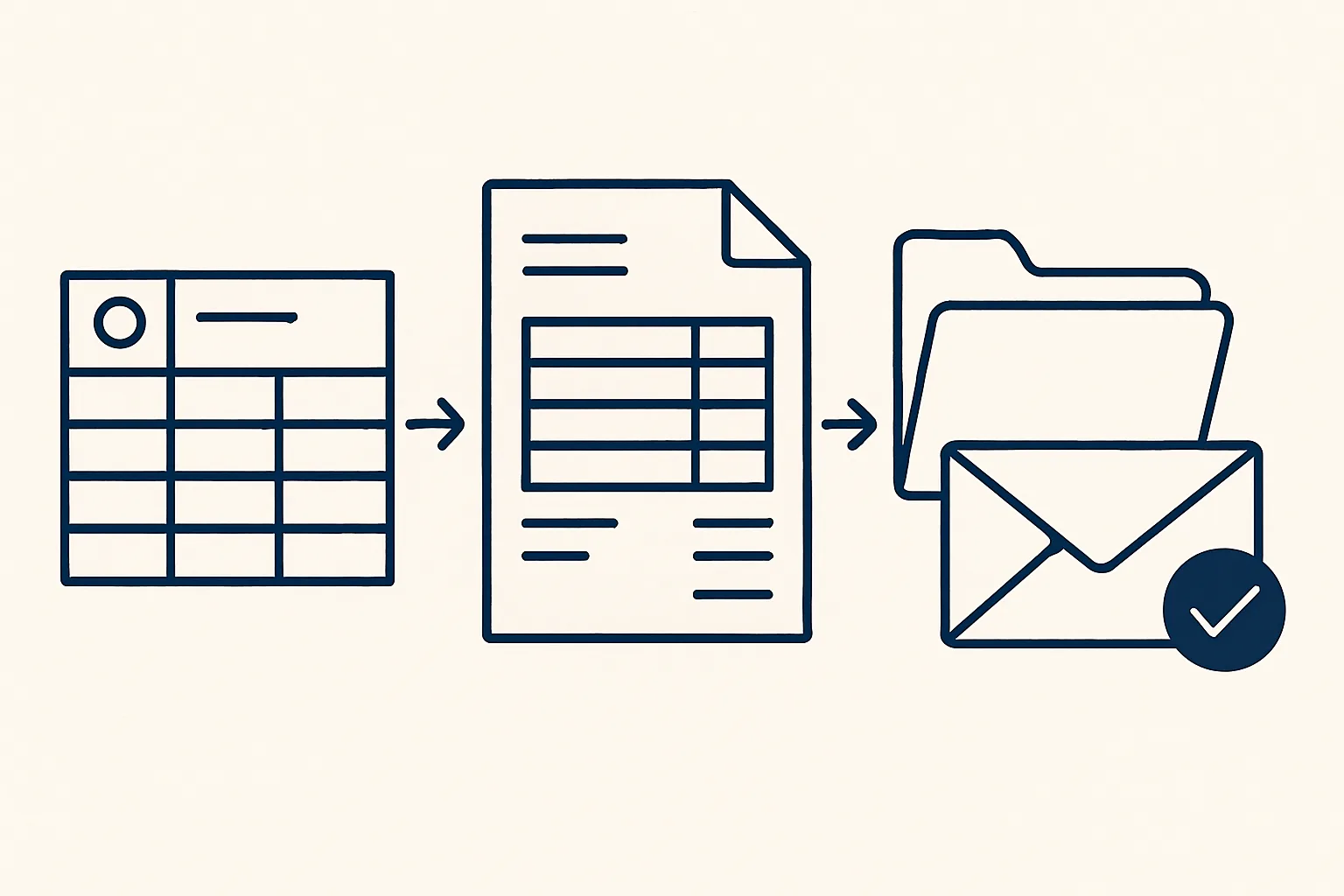
Invoice automation means the invoice is built from data you already hold, a sheet that remembers clients, products and tax wording, then rendered as a PDF, filed, and created as a draft in your accounting system with a draft email beside it. A person checks the draft and sends it.
What invoice automation covers
Invoice automation covers the whole route from an agreed sale to a finished invoice waiting for someone to send it.
Done by hand, that route has more steps than it seems. Someone opens the last invoice for the client, copies it, changes the date and the lines, looks up the price, checks the tax wording, saves a PDF with a sensible name, types the same invoice again into the accounting system, attaches the PDF, writes an email and attaches the PDF a second time. Each step is small. Together they take real time, and every retyped field is another chance for a mistake.
Invoice automation removes the retyping. The details are entered once, in one place, and everything else is built from them. People often search for AI invoice automation, but most of the work is plain rules applied the same way every time. AI helps mainly at the edges, for example by reading your old invoices at the start to build the lists the system works from.
You will also see the term AR invoice automation. AR stands for accounts receivable, the money customers owe you, and the invoice is where that starts. The table compares the invoice automation process with the manual one, step by step.
| Step | By hand | Automated |
|---|---|---|
| Client details | Copied from the last invoice | Picked from the client list in the sheet |
| Lines and prices | Typed or pasted | Picked from the product list, with the last price to hand |
| Tax wording | Remembered or looked up | Applied by rules when the invoice is created |
| Saved and named by hand | Rendered from your template, named the same way every time | |
| Filing | Dragged to a folder, when someone remembers | Filed in the client's folder |
| Accounting entry | Typed a second time | Created as a draft with the PDF attached |
| Written and attached by hand | Drafted beside the invoice, ready to check and send |
Client and product memory
The heart of invoice automation is a sheet that remembers your clients and products, so an invoice is assembled by picking rather than typing.
Each client is entered once, with everything an invoice needs. Each product or service is entered once, with its description, its unit and its last price. When a new invoice is started, a person picks the client and the lines and fills in quantities and dates; the rest comes from memory.
Before anything is built, a ready check looks for gaps. A client without a tax number, a line without a price or a missing invoice address stops the invoice at the sheet, where it is easy to fix, instead of at the customer, where it is embarrassing.
Where does the memory come from? At the start it can be built from your past invoices: they are read into structured data that fills the client list and the product list, and a person checks the result before anything relies on it. After that, the lists grow as you add clients and products, and a price changed once stays changed for every invoice that follows.
The client memory usually holds:
- The legal name and the billing address, exactly as they must appear.
- The tax number, where the sale needs one.
- Payment terms and the currency you invoice in.
- The email address invoices go to, which is often not the person you deal with.
- The kind of sale, such as domestic or export, which decides the tax wording.
Tax wording applied at creation
The tax wording on each invoice is set by written rules at the moment the invoice is created, so it never depends on someone remembering the right sentence.
Many businesses sell to different kinds of buyer: local customers, customers abroad, and businesses that account for the tax themselves. Each case can need a different rate and a different line of wording. Getting it wrong is easy, and it is usually found late, when an accountant reviews the quarter and asks for corrections.
The rules come from your accountant, not from us and not from the robot. We write them into the system exactly as your accountant gives them: which case applies when, which rate, which wording. When a client in the sheet matches a case, that wording is applied. When it matches none, the invoice stops and a person decides.
This is not tax advice, and the robot does not decide your tax position. If the rules change, your adviser tells you and the rules in the system are updated to match. Check with your adviser before relying on any wording.
Your hours on invoicing
Enter your own figures. The result is the time your team spends preparing invoices today, by your own count; it is not a promise of what automation would change.
PDF, filing and the accounting draft
Once a row is marked ready and confirmed, the robot renders the PDF, files it, and creates a draft invoice in your accounting system with the PDF attached and a draft email beside it.
Because the template, the file name and the folder are fixed, an invoice can be found again in seconds by anyone, months later. The accountant sees the same draft in the accounting system that the client will see in the email, with the same PDF attached to both, so there is only ever one version of each invoice.
The route is the same for every invoice, which is the point. Here is what happens to one row in the sheet.
- A person fills in the invoice row: the client, the lines, the quantities and the dates.
- The ready check confirms that nothing the invoice needs is missing.
- The person ticks the row once to mark it ready, and ticks again to confirm.
- The robot renders the PDF from your own invoice template and names it the same way every time.
- It files the PDF in the client's folder.
- It creates a draft invoice in your accounting system with the PDF attached.
- It prepares a draft email to the client's invoice address with the PDF attached, and writes every action to the audit record.
The human check before sending
Nothing is sent by the robot: a person opens the drafts, checks them and sends the invoice.
Much automated invoicing software offers to email invoices the moment they are created. We take a different line. The invoice stays a draft in the accounting system and the email stays a draft in the mailbox until a person approves both. The check is quick, because the invoice was built from checked data, but it remains a person's decision.
Why keep a person in the loop when the data is already checked? Because an invoice is a statement your company makes to a customer. A price agreed on the phone yesterday, a discount promised in a meeting or a delivery that has not happened yet are things only a person knows, and the check is where they surface.
A good check takes a glance at five things: the client and invoice address, the lines and prices against what was agreed, the tax wording for this sale, the PDF itself, and the email text and recipient.
If something is wrong, it is fixed at the source, in the sheet, and the invoice is rebuilt. That keeps the memory correct for the next invoice instead of patching one document. Every action is written to an audit record, and a kill switch stops the robot in one command.
Starting from your own invoice template
To automate invoicing, start from the invoice you already send: your template, your client list and your accountant's tax rules.
Gather a handful of recent invoices that show the different kinds of sale you make, your current template and the tax rules your accountant applies. That is enough to describe the job. Then use the calculator on this page to count how many invoices you issue in a month and how long each one takes by hand. That figure, in hours, is the only measure we work to.
Sales invoicing built this way is running today for a client. Our invoicing robots are rented monthly: we build them, run them on our servers and look after them, and they work against your own sheet, folders, mailbox and accounting system. The price is one monthly figure per workflow, stated in the quote.
It is just as important to know what invoice automation, as we run it, does not do:
- It does not send invoices or emails. A person does.
- It does not chase payment. Drafted payment reminders are offered and built to order, not running today.
- It does not submit invoices to government e-invoicing platforms. Where your country requires one, that is not covered.
- It does not decide tax treatment. The rules come from your accountant.
Questions
How do I automate invoicing?
Keep your clients and products in one place, write down the tax rules your accountant gives you, and have each invoice built from that data: PDF rendered and filed, a draft in the accounting system and a draft email. A person checks and sends.
What is the invoice automation process?
A person fills one row with the client and lines, a ready check confirms nothing is missing, two confirmations start the build, and the robot renders the PDF, files it and prepares the accounting draft and the email draft.
Can AI create invoices for me?
AI can help build the lists an invoice draws on, for example by reading your past invoices. The invoice itself is best built by fixed rules from checked data, so every one follows the same wording, and a person approves it.
Does invoice automation send invoices to customers?
Ours does not. The invoice stays a draft in the accounting system and the email stays a draft in the mailbox until a person checks and sends them. Nothing is sent by a robot.
Does it work with government e-invoicing systems?
No. Submitting invoices to a national e-invoicing platform is not covered by what we run today. Check with your adviser which rules apply to your business.
Want hours back from this work?
Write to [email protected] with how many invoices you issue each month and how long each takes, and we will tell you plainly whether invoice automation fits your work.
Talk to us Related service: Sales invoicing

